
I’m choosing a POS
See how menus, item options, kitchen tickets and payments work together. Bring the questions that matter to your restaurant.
Explore my optionsKPOS FOR RESTAURANT OWNERS
Bring your menu, orders, kitchen and payments together in one restaurant system.
Choosing a POS, opening a new location, or replacing your current system? See how KPOS fits the way you run your restaurant.
Tell us what you need. Start with a 15-minute demo.
WHERE ARE YOU TODAY?
Start with what you’re working on.
We’ll focus the demo on your needs.
See how menus, item options, kitchen tickets and payments work together. Bring the questions that matter to your restaurant.
Explore my optionsPlan your ordering setup, hardware and staff training around your new restaurant and target opening date.
Discuss my new locationReview your menu transfer, hardware needs and staff training before deciding how and when to move.
Plan my switchBUILT FOR THE EVERYDAY
One menu. A clear path from order to kitchen.
The tools your team will use every day.
Set up your menu, modifiers and combos. Keep the details of each order together from the first tap.
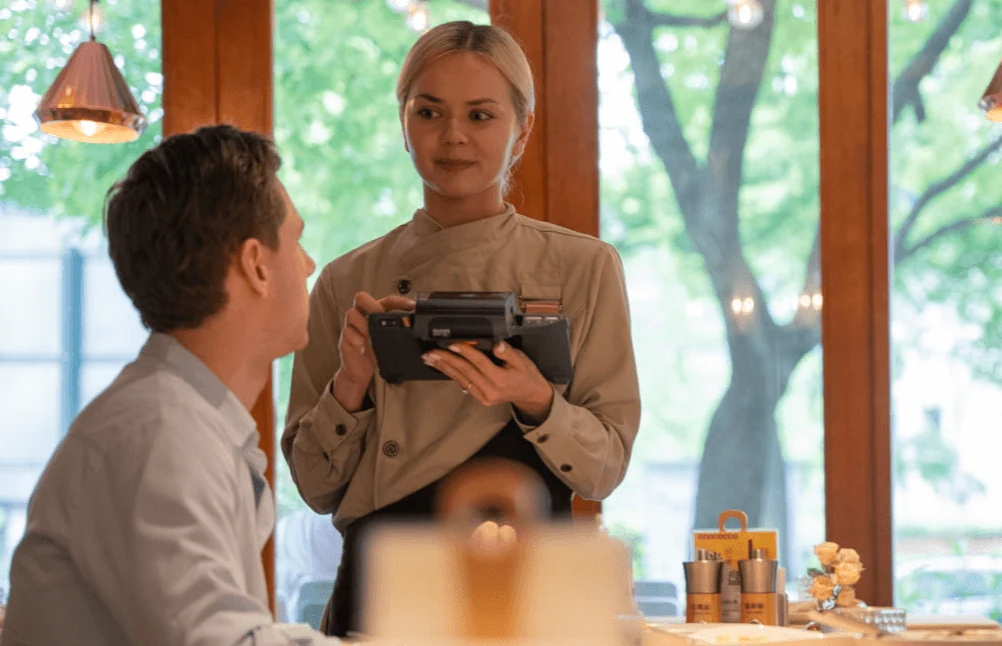
Take orders, accept payments and print receipts tableside, with fewer trips back to a fixed terminal.
Route tickets to kitchen stations. Follow order status and timers on the kitchen display.
MAKE THE NEXT STEP CLEAR
Walk through the parts of service that matter in your restaurant, then discuss your equipment, timing and team.
Talk about your restaurantWalk through your menu, counter or table service, and how orders reach the kitchen.
See the POS, payment, tableside and kitchen tools relevant to your location.
Ask about hardware setup, staff training and what to prepare before opening or switching.
YOUR NEXT STEP
Request a 15-minute KPOS demo. Share a few details and the team can follow up to arrange a time.
This is a demo request. A meeting time is confirmed separately.
BEFORE YOU DECIDE
Yes. Bring your menu and the questions you have about ordering, kitchen tickets and payments. The demo can focus on the parts of your current workflow you want to change.
KPOS offers restaurant POS, integrated payments, tableside ordering and kitchen displays. The right combination depends on your restaurant. Use your demo to discuss the hardware and features you need.
Yes. Ask the team about hardware setup, staff training and the steps to prepare your team. For a new location or a switch, confirm the timing and scope for your restaurant.
Menu migration can start from photos, PDFs, spreadsheets or a system export. Review the items, prices and options before going live. Hardware compatibility and the changeover plan need to be confirmed for your setup.
Pricing depends on your restaurant’s size and needs. Request a demo to discuss a tailored quote, including the hardware and features you’re considering.