
SaaS Feature
Order, pay and print — right at the table
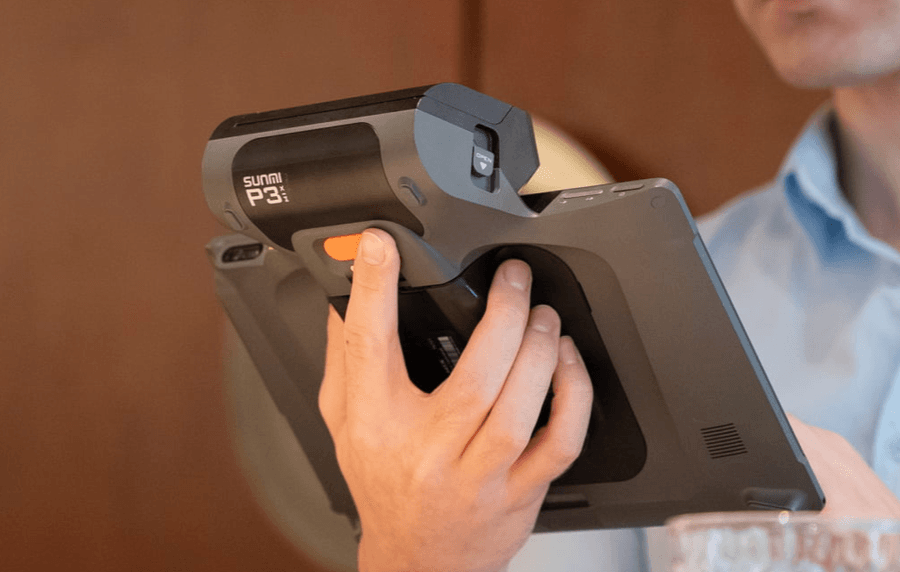
KPOS runs on a payment-integrated, large-screen Android tablet (P3 MIX). Ordering, payment and receipt printing happen in one place, in one device — VIP-level service without a single trip to the front counter.
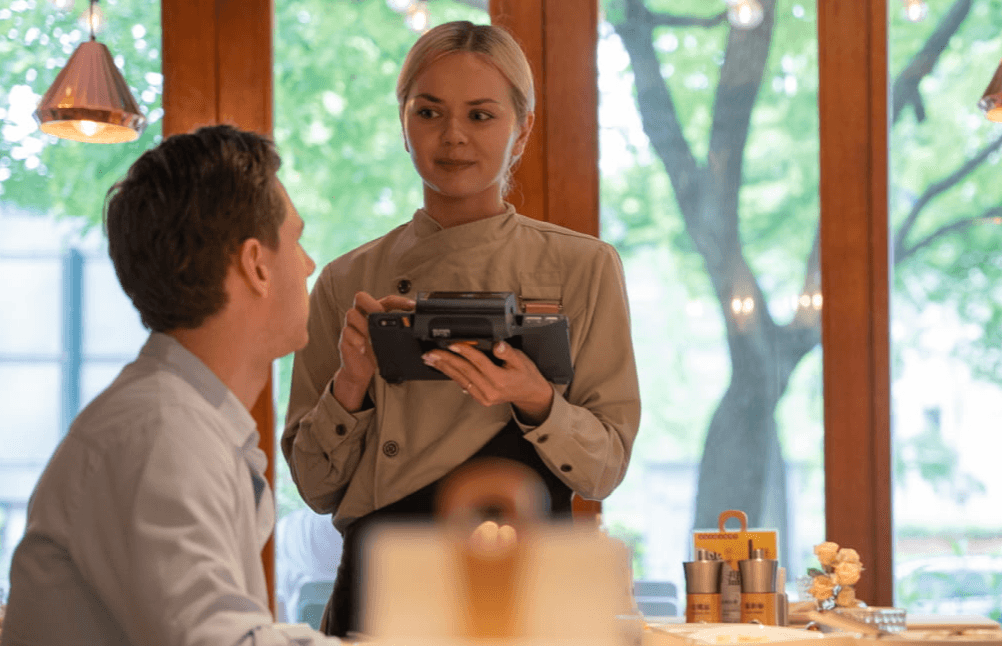
Tableside vs. running to the counter
Traditional — running to the counter
- 3+ trips per table — fire the order, print the check, run the card
- Guests wait while the server walks back and forth
- Slower table turnover
- A bolt-on Bluetooth reader drops mid-payment
KPOS — all at the table
- Zero extra trips — order, pay and print in one stop
- Checkout in under a minute
- Faster turnover — more covers per server, per shift
- Payment built in — nothing to pair, nothing to drop
Course control: back to the station vs. at the table
Fine dining lives and dies on course timing. KPOS keeps that control in the server’s hand.
Traditional — back to the service station
- Server writes the order on a paper pad
- When it’s time to fire the next course, walk to the POS station
- Send the order to the kitchen from the station
- Want to expedite? Another trip — or shout to the kitchen
- Course pacing relies on memory — easy to mistime or miss
KPOS — fire & expedite at the table
- Add dishes and fire to the kitchen right from the Pad while you patrol
- Read the table’s pace and control course timing in real time
- Tap to expedite at the table — the kitchen sees it instantly
- Precise course control for high-end Western service
- Never leave the table — smoother, more connected service
Why it’s different
Efficient operations
- Smooth order flow — one all-in-one device handles ordering, payment and kitchen display, cutting hand-off steps.
- Real-time data sync — SaaS keeps orders, inventory and sales consistent across terminals — no delays or mis-entries.
Cost control
- Lower upfront cost — one device cuts hardware needs; SaaS subscription trims upfront software spend.
- Save on labor — automation reduces manual order entry and reconciliation, optimizing staffing.
Better guest experience
- Faster service — simplified ordering and payment shorten guest wait time.
- Personalized recommendations — order-history analysis powers tailored menu suggestions and offers.
Full service control
- Real-time course pacing — for fine-dining course service, servers add and fire dishes anytime.
- Pre-split for large parties — record per-guest splits at ordering time, so checkout is fast and accurate.
Seamless payments
- Pay at the table — one trip covers checkout talk, payment collection and receipt printing.
- Every method — EMV chip, tap, Apple Pay, Google Pay, WeChat Pay, Alipay and more.
Flexible & modular
- Modular features — add delivery integration, membership and more on demand as you grow.
- Multi-device compatible — connects easily to kitchen printers, scanners and other hardware.
Data-driven marketing
- Guest profiling — analyze ordering behavior to power precise marketing.
- Automated promotions — dynamic discounts by time, season or inventory to lift sales.
Loyalty & retention
- Membership — points, coupons and birthday rewards build guest stickiness.
- Precision marketing — preference-based campaigns drive repeat visits.
Maintenance: iPad + bolt-on reader vs. all-in-one
A pieced-together rig hides its cost in daily upkeep. The P3 MIX builds everything into one body.
iPad + bolt-on card reader
- Two devices, two OS / firmware to update separately
- Bluetooth pairing drops — constant re-connecting
- Two batteries to charge; one dies mid-service
- Reader / back-plate works loose, poor contact
- A fault means guessing: the iPad or the reader?
- Still needs an external printer — one more thing to maintain
P3 MIX — the all-in-one, built for the table
- One device, one system & firmware update — the all-in-one does what three pieces used to
- Payment fused into the device — no Bluetooth to pair, nothing to drop mid-checkout
- One battery, one dock — charge it once, run the whole shift
- A single moulded body — no reader or back-plate to work loose
- One device to diagnose — no guessing which piece failed
- Receipt printing built in — no external printer to power, refill or fix
The numbers
−60% failure rate
vs. iPad + Bluetooth card reader.
−60% pay time
vs. traditional card checkout.
−30% cost
vs. iPad + reader + printer.
−20% errors
vs. front-counter ordering.