
Tableside ordering vs. the front counter: the real cost of every trip
Every order rung up at a front counter hides round trips your staff walk all shift. Here's the trip math — and what tableside ordering reclaims in time, table turns and guest experience.
A front-counter POS feels free. It isn’t. Every order that gets rung up at a stationary terminal quietly bills you in something you can’t see on an invoice: the round trip. Multiply one server’s walk to the counter and back by every table, every course and every check, across a whole shift, and you’re paying a tax that never shows up in the hardware quote.
Here’s how to count it — and what tableside ordering hands back.
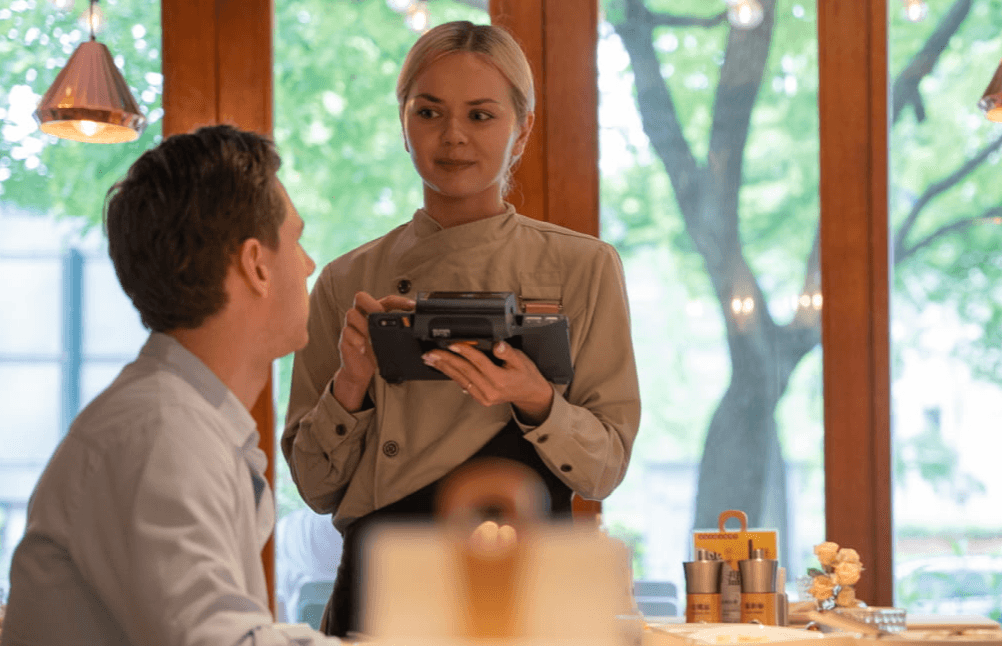
The hidden tax is the trip, not the tap
Taking an order isn’t the expensive part. Walking to enter it is. With a counter-based flow, the same table pulls a server away from the floor again and again:
| Moment | Front counter | Tableside (KPOS) |
|---|---|---|
| Take & fire the order | Write on a pad, walk to the terminal | Enter and fire at the table |
| Add a round / answer a question | Walk back to the terminal | Tap at the table |
| Fire the next course | Walk to the station to send it | Fire from the Pad while you patrol |
| Bring the check | Walk to print, walk to deliver | Present on the device |
| Run the payment | Walk the card to the reader, walk back | Pay at the table, print on the spot |
That’s three or more round trips per table in the traditional column — and zero in the tableside one.
Do the trip math for your own room
You don’t need our numbers; use yours. Take a conservative estimate of one round trip — to the terminal and back — at about 45 seconds. Three trips per table is well over two minutes of pure walking, per table. A server who turns ten tables a shift is spending the better part of half an hour just commuting to a screen. Across a team, across a week, that’s shifts of labor spent on footsteps.
Now flip it: those are minutes you can put back into the floor — more covers, faster turns, more time actually serving guests.
What you reclaim
- Table turnover. Checkout alone drops from about three minutes to under one when payment happens at the table. In a rush, faster turns are revenue.
- Labor efficiency. Fewer trips means more covers per server per shift, without adding headcount.
- Fewer errors. Orders entered at the table, in front of the guest, are confirmed on the spot — fewer mis-keys, fewer comps.
- Upsell at the right moment. Suggesting a side or a pairing lands when you’re at the table, not when you remember it at the terminal. The AI Pad flow makes those prompts smart.
- Presence. A server who never disappears to a terminal is a server who reads the room — and gets the tip that follows.
The worst trip is the payment trip
The end of the meal is where the counter model hurts most. The guest is ready to go; the server walks the card to a shared reader — or fights a bolt-on Bluetooth dongle that drops mid-transaction — then walks back with the receipt. With KPOS, payment is built into the device: EMV chip, tap, Apple Pay, Google Pay, WeChat Pay and Alipay, settled at the table in one stop. Nothing to pair, nothing to drop.
Fine dining: course control without the detour
For high-end service, the trip costs more than time — it costs timing. Traditionally, firing the next course means a detour back to the POS station, and pacing rides on the server’s memory. Tableside, the server adds dishes and fires to the kitchen right from the Pad while patrolling the section, reads the table’s pace, and taps to expedite without leaving. Course control stays in hand, not back at a station.
When the front counter is the right call
Be honest about your format: a true quick-service counter, a grab-and-go café, or a kiosk-first concept may want the counter as the point of sale — there’s no table to walk to. The trip tax is a full-service problem. If guests sit and are served, every trip is a cost; if they order and carry, it isn’t.
The bottom line
The front counter doesn’t charge you up front — it charges you by the step, all shift, forever. Tableside ordering on the KPOS P3 MIX zeroes out the trip and hands the minutes back to your floor. If you’re weighing the change, read KPOS vs. a traditional POS or our restaurant POS buyer’s guide — or request a quote and we’ll run the math on your room.
Frequently asked questions
How many trips to the counter does a server make per table?
In a traditional dine-in flow, at least three round trips per table: one to fire the order, one to bring and drop the check, and one to run the payment — often more when guests have questions, add a round, or split the bill. Tableside ordering on a device like the KPOS P3 MIX makes that zero: order, fire, pay and print happen at the table.
Does tableside ordering actually speed up table turnover?
Yes, in two ways. Checkout drops from roughly three minutes to under one because payment happens face-to-face at the table, and servers stop losing minutes walking to a shared terminal. Those reclaimed minutes turn into more covers per server per shift, especially during a rush.
Is tableside ordering only for fine dining?
No. Fine dining gains precise course pacing, but casual and family restaurants benefit just as much from faster checkout, fewer billing errors and servers who stay on the floor. The economics — fewer trips, faster turns — apply to any full-service room.
Can guests pay at the table with KPOS?
Yes. Payment is built into the same device that takes the order — EMV chip, tap-to-pay, Apple Pay, Google Pay, WeChat Pay and Alipay — so there's no bolt-on reader to pair and nothing to drop mid-payment. The checkout conversation, the payment and the receipt are one stop.
Do I need new hardware for tableside ordering with KPOS?
KPOS runs tableside on the payment-integrated P3 MIX, and also works with kiosks, mobile terminals and cloud printers you may already have. During a demo we map your current setup so you only add what's needed.
See KPOS in your restaurant
One AI-powered platform for ordering, payments and operations.
Book a 15-minute demo